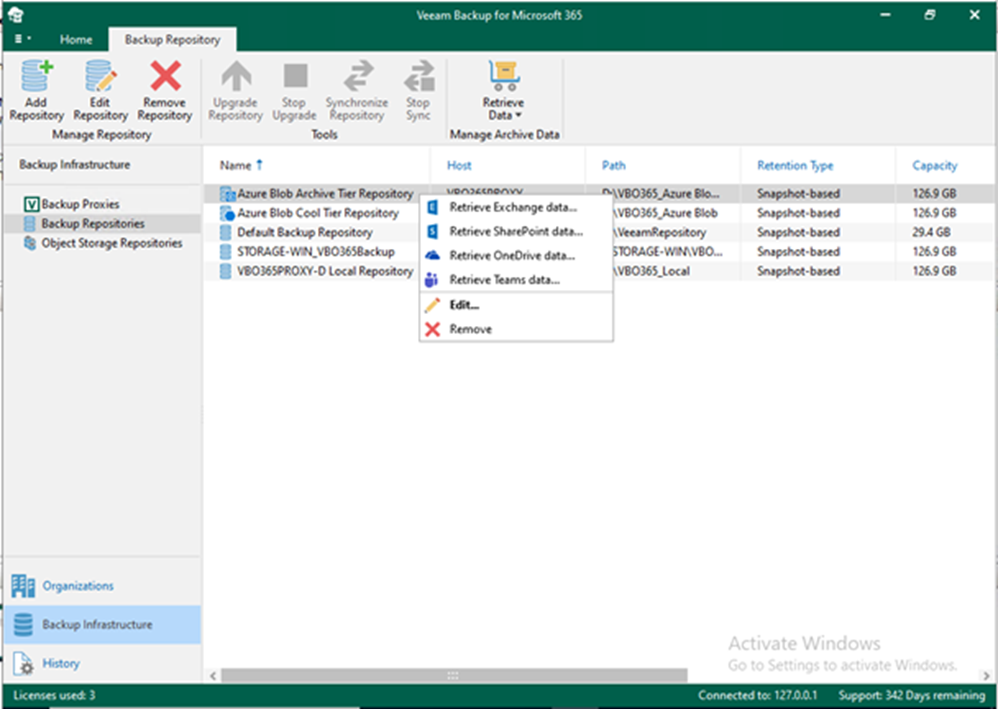
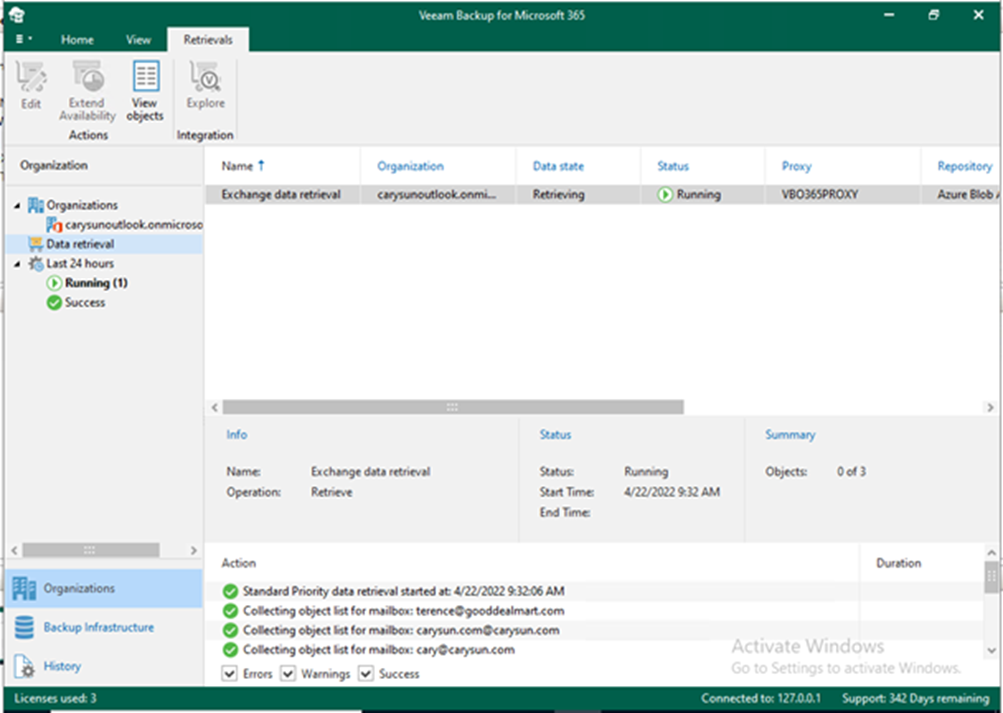
Data retrieval, like data backup and copy, is a job-driven process. First, you must create a retrieval job to access your data in backup copies. Then, using Veeam Explorer for Microsoft OneDrive, create a retrieval job for the subsequent exploration and restore the retrieved data.
Data retrieval, like data backup and copy, is a job-driven process. First, you must create a retrieval job to access your data in backup copies. Then, using Veeam Explorer for Microsoft Exchange, create a retrieval job for the subsequent exploration and restore the retrieved data.
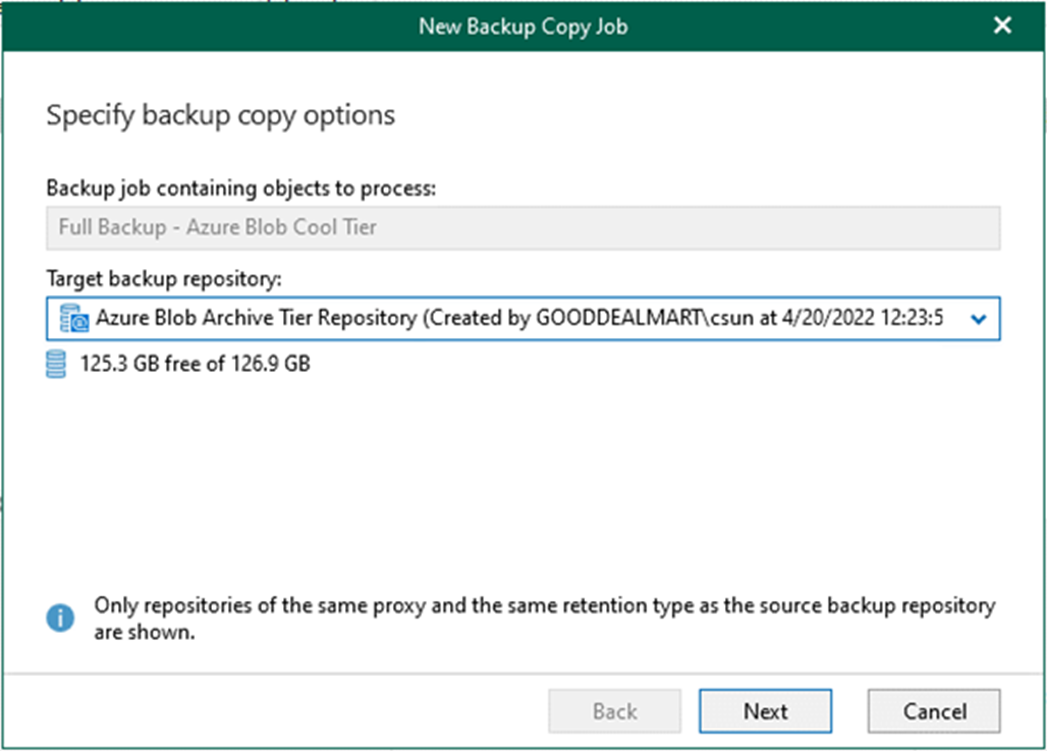
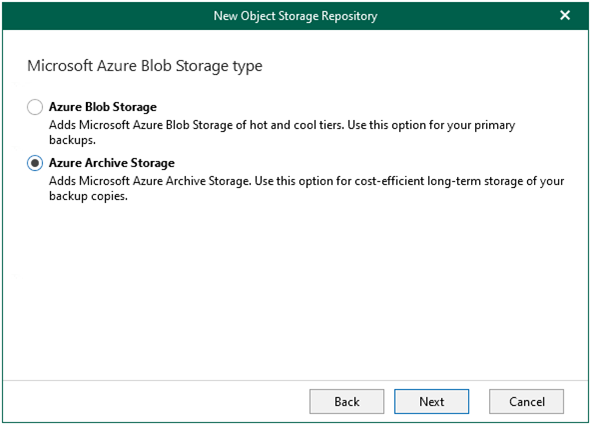
Veeam Backup for Microsoft 365 extends data protection and follows the same methodology as Veeam Backup and Replication. This 3-2-1-1-0 rule can also be applied to backup repositories in cloud-based object storage using Backup Copy Jobs: Azure Blob Storage Archive access tier, Amazon S3 Glacier storage class, or Amazon S3 Glacier Deep Archive storage class.
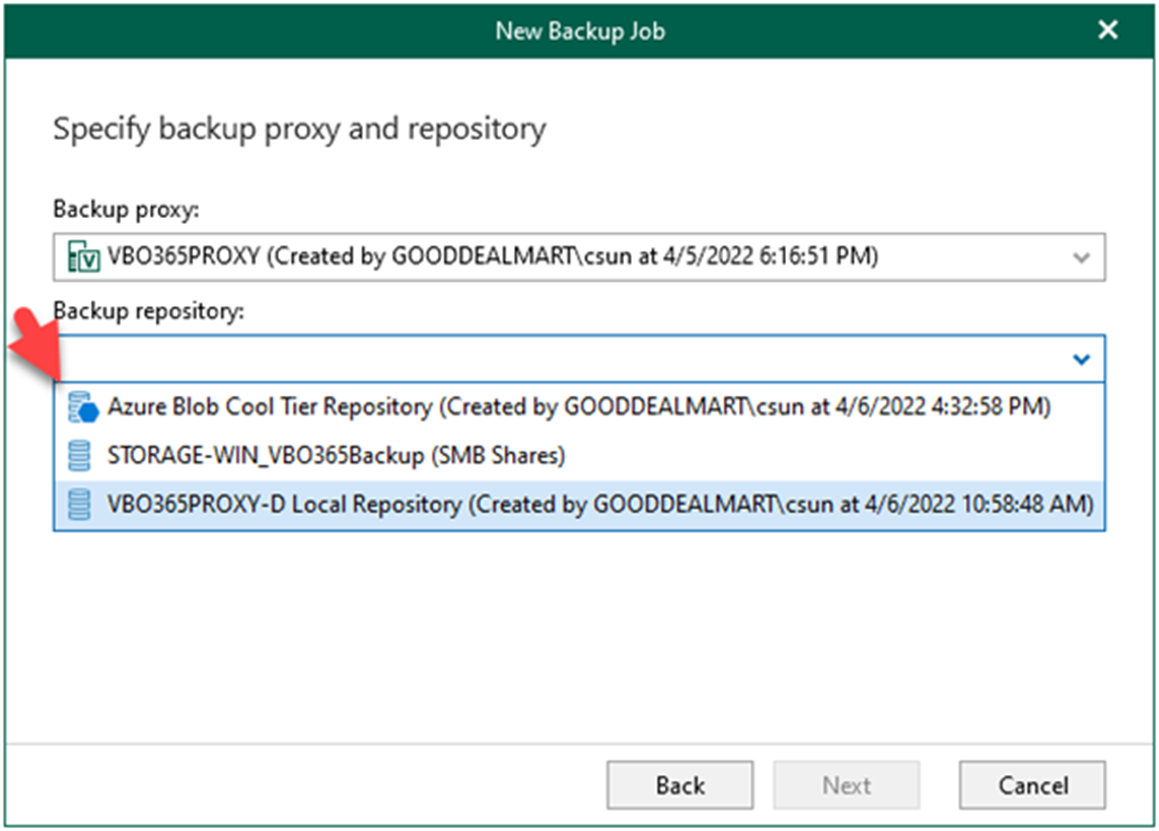
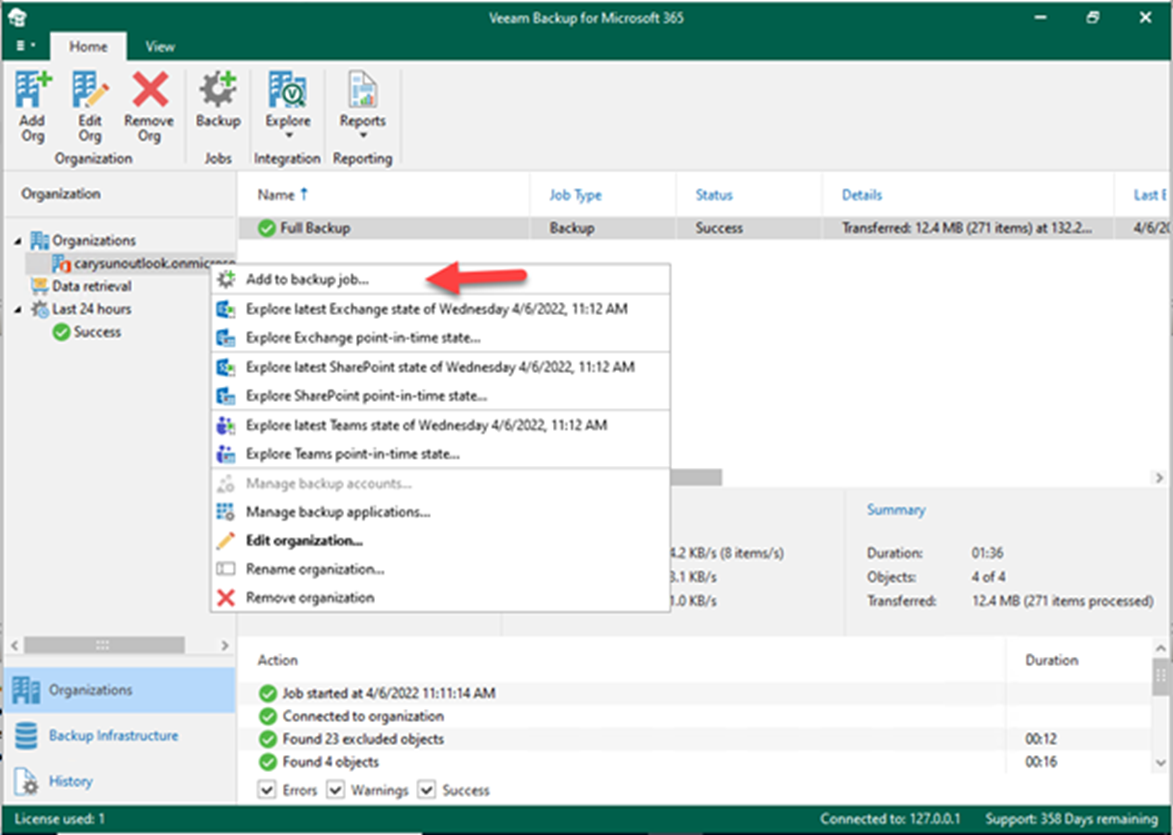
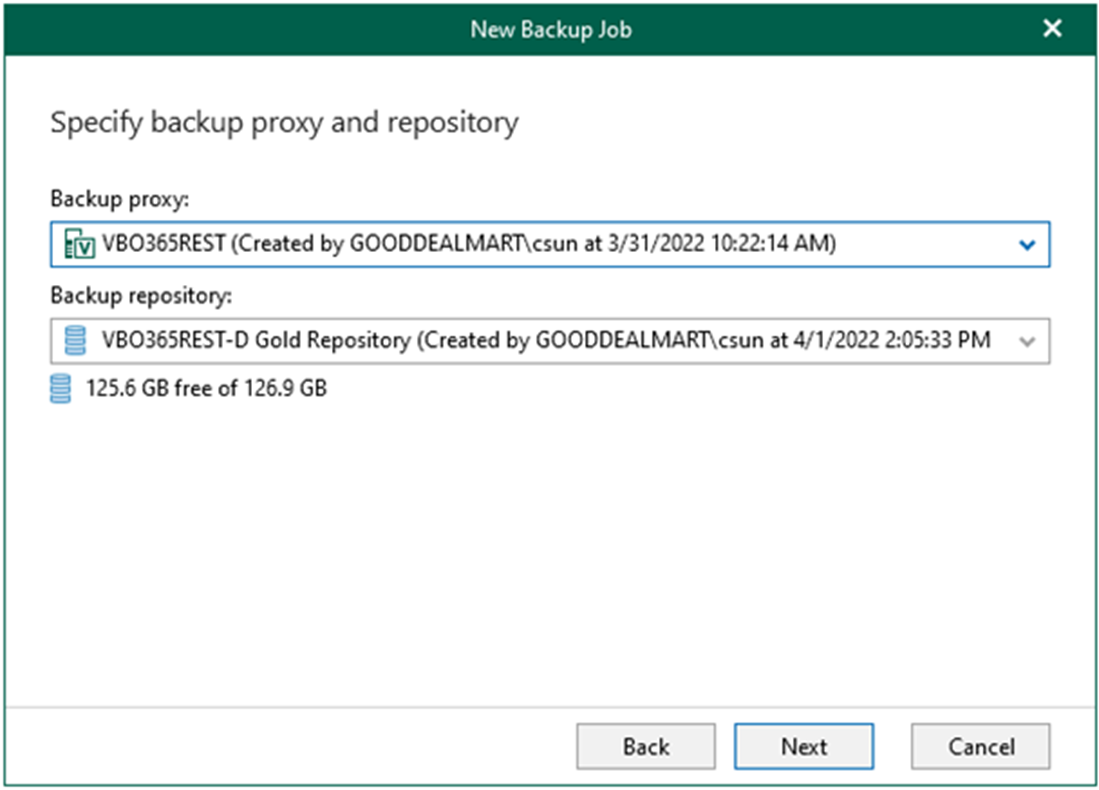
Backup Jobs in Veeam Backup for Microsoft 365 can be configured to specify object types and their processing and exclusion options when creating and configuring backup jobs.
You can create different tiers of backup jobs when creating backup jobs. For example, a gold backup tier for executives has a higher retention rate. On the other hand, a silver backup tier for seasonal teammates necessitates a different retention period and settings. This could be divided into different departments to share costs across storage accounts.
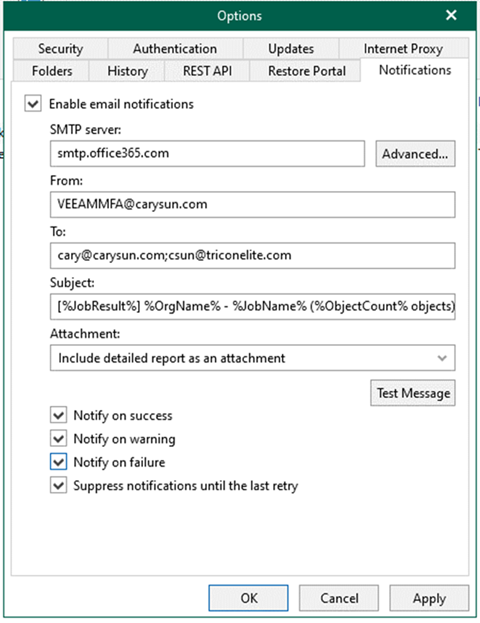
You can also configure notification settings in Microsoft 365 with an MFA-enabled account. This can be used to send email notifications about the results of backup jobs.
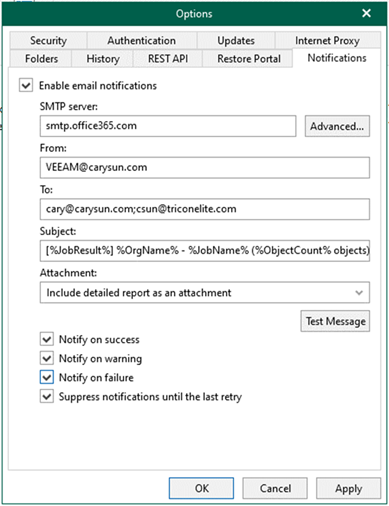
You can also configure Microsoft 365 for notification settings using a non-MFA account. This can be used to send email notifications about the results of backup jobs.
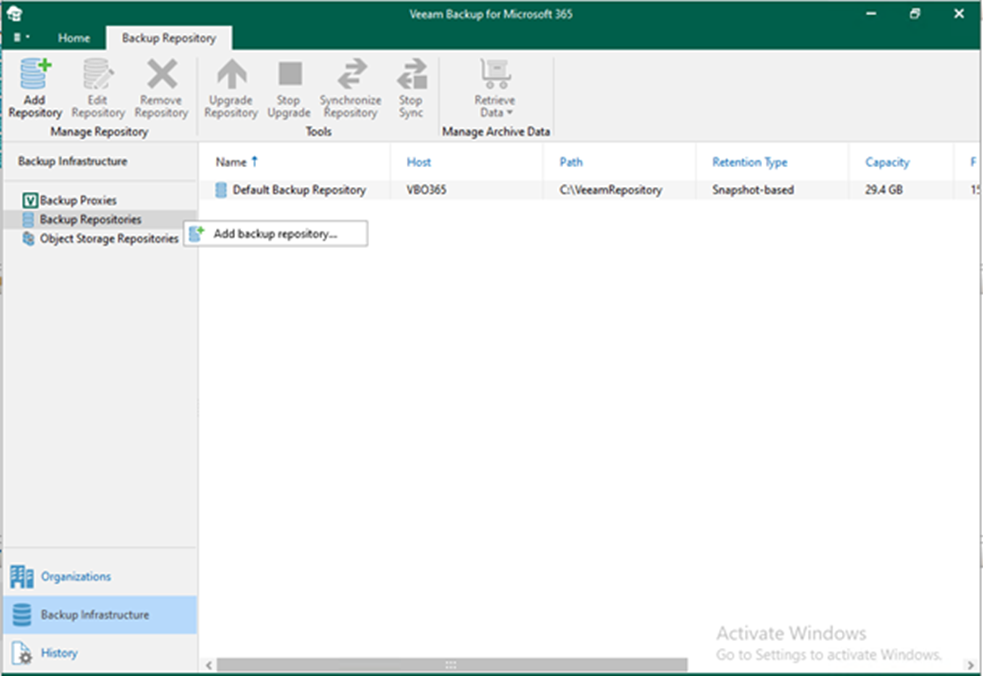
Network Attached Storage can also be a backup repository with Veeam Backup for Microsoft 365. These Network Attached Storage devices can be accessed and configured through a shared folder on your computer or through any other physical device that supports the SMB protocol.
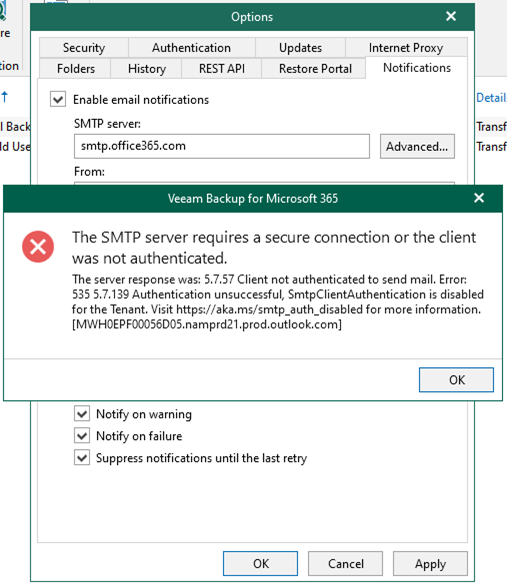
If you are going to use Microsoft 365 email account for Veeam Notifications, it happened that SmtpClientAuthentication is disabled for the Tenant error. Today I will show you how to fix it.
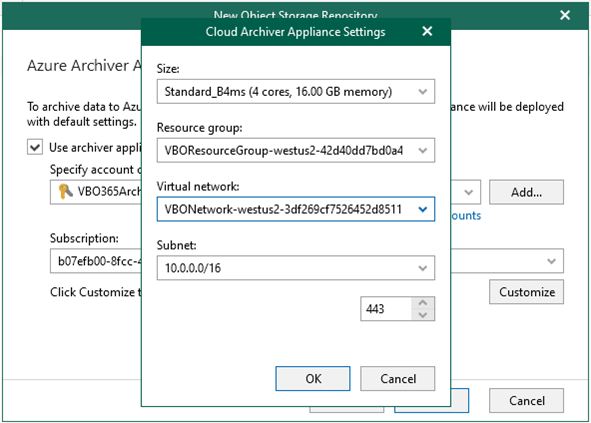
The Azure archiver appliance is a small auxiliary machine in Microsoft Azure that is deployed and configured automatically by Veeam Backup for Microsoft 365. Veeam services that Veeam Backup for Microsoft 365 installs on the Azure archiver appliance compress data passed through. This helps reduce network traffic and increase the speed of backup copy.
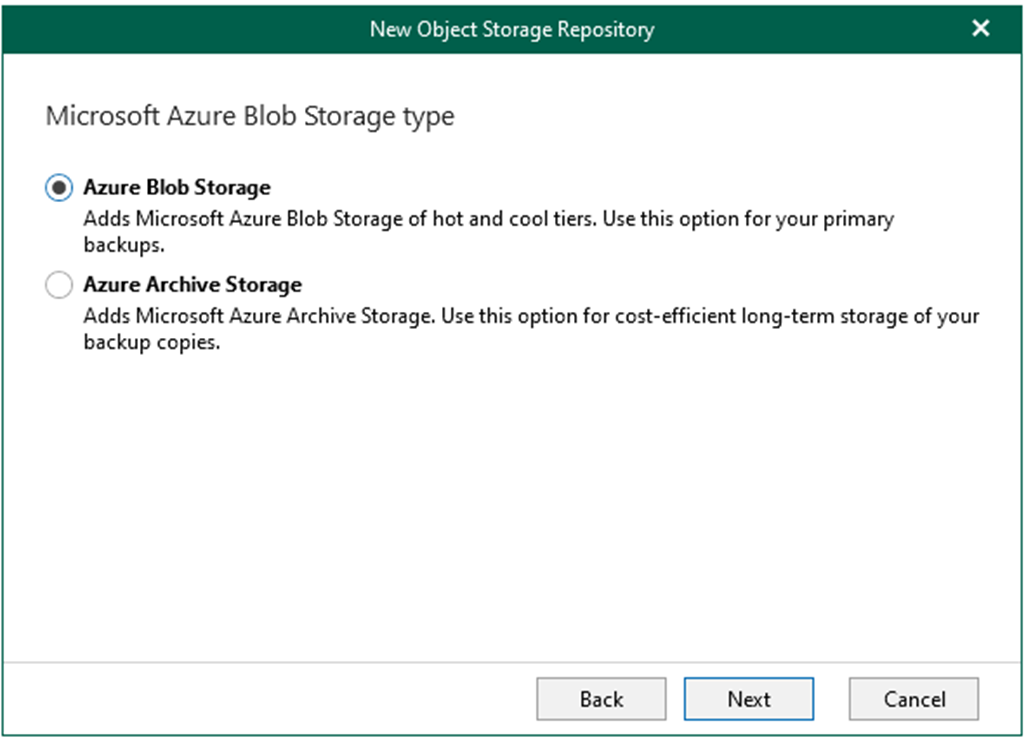
Veeam Backup for Microsoft 365 supports different Azure storage account types for standard and premium performance tiers. Tables in this section list the supported storage account types.
Veeam Backup for Microsoft 365 use backup proxy servers to leverage network when backup or restore data. The Veeam Backup for Microsoft 365 manager server is the default local backup proxy server.
When you add an organization using the modern app-only authentication method, you are required to provide Azure AD application settings. Please reference following link to create and configure Azure AD Application permissions.
Veeam Backup for Microsoft 365 Modern Authentication and Legacy Protocols Authentication requires that you grant permissions to Azure AD applications to back up and restore data from/to your Microsoft 365 organizations.